

Export Selected Employee Records
To export the selected employee records, follow the steps below.
-
Go to .
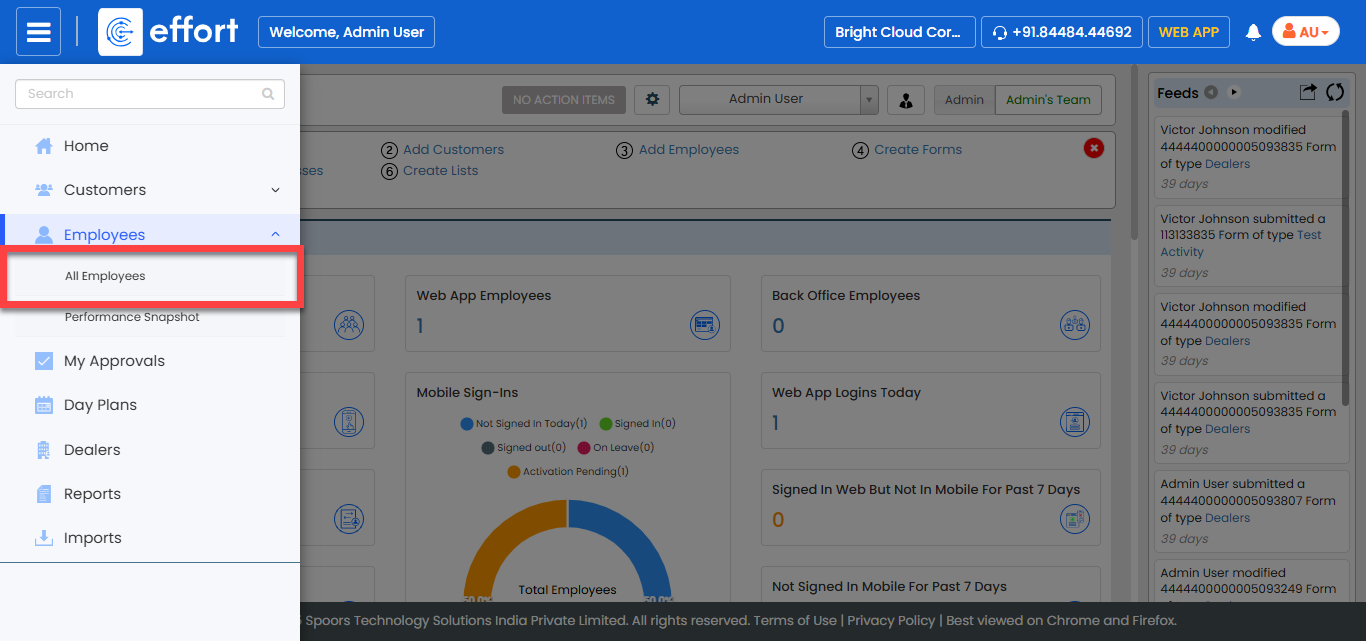
The All Employee page appears.
-
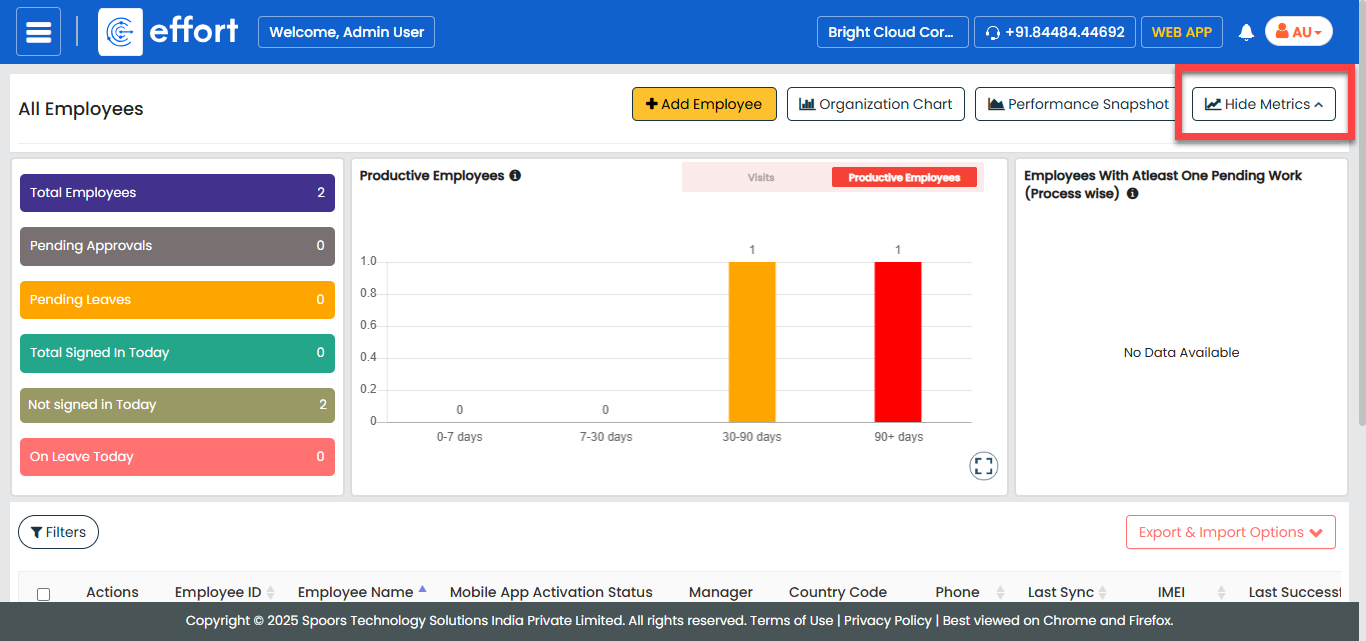
Click the Hide Metrics button to view all the
employees.
-
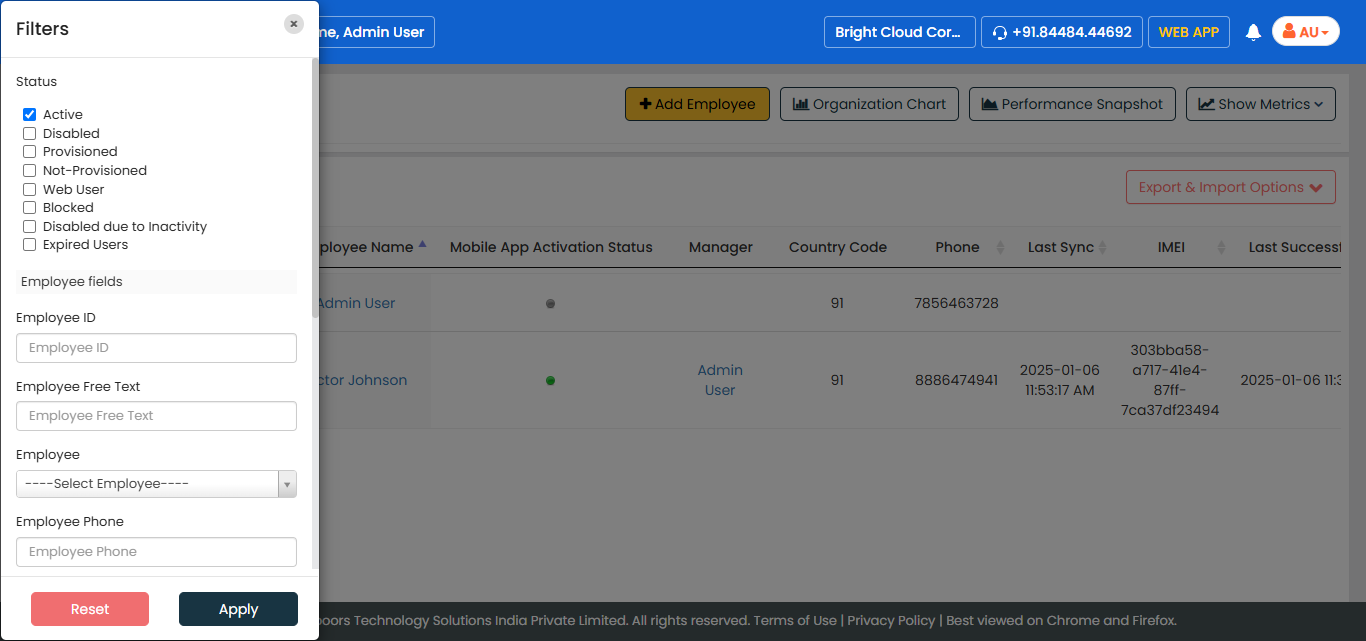
Click the Filters button and apply the filter options to
find the employees you want to export.
-
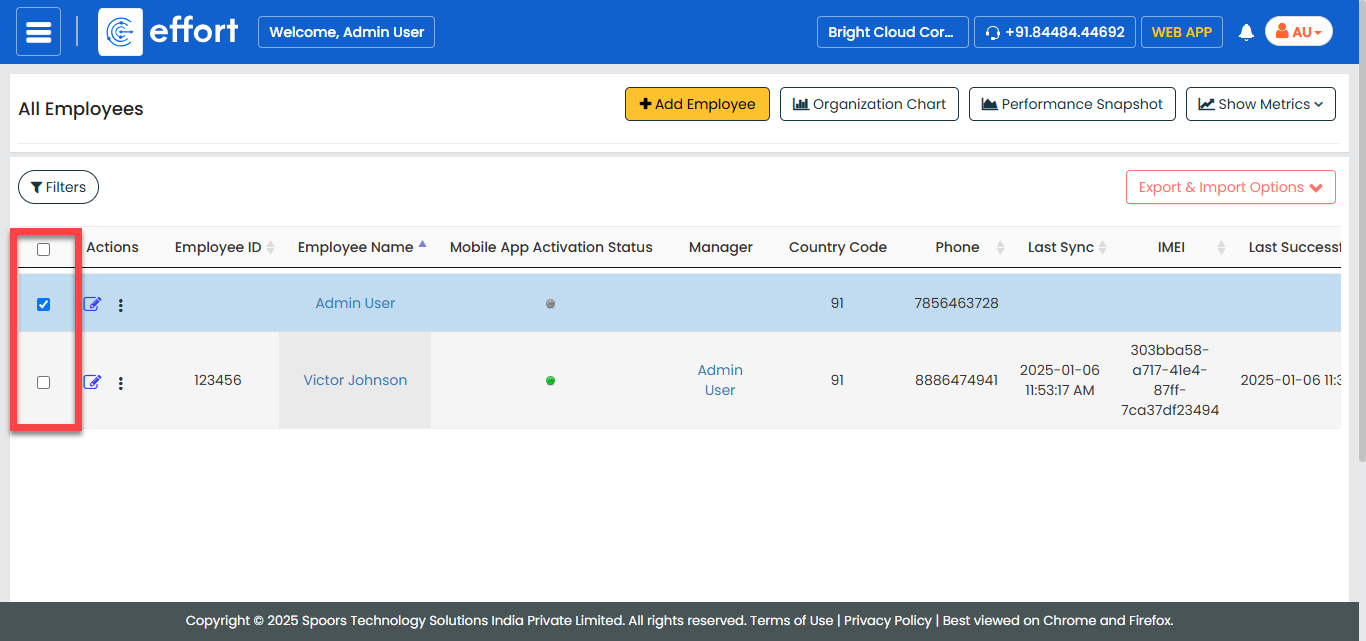
Select the employees.
-
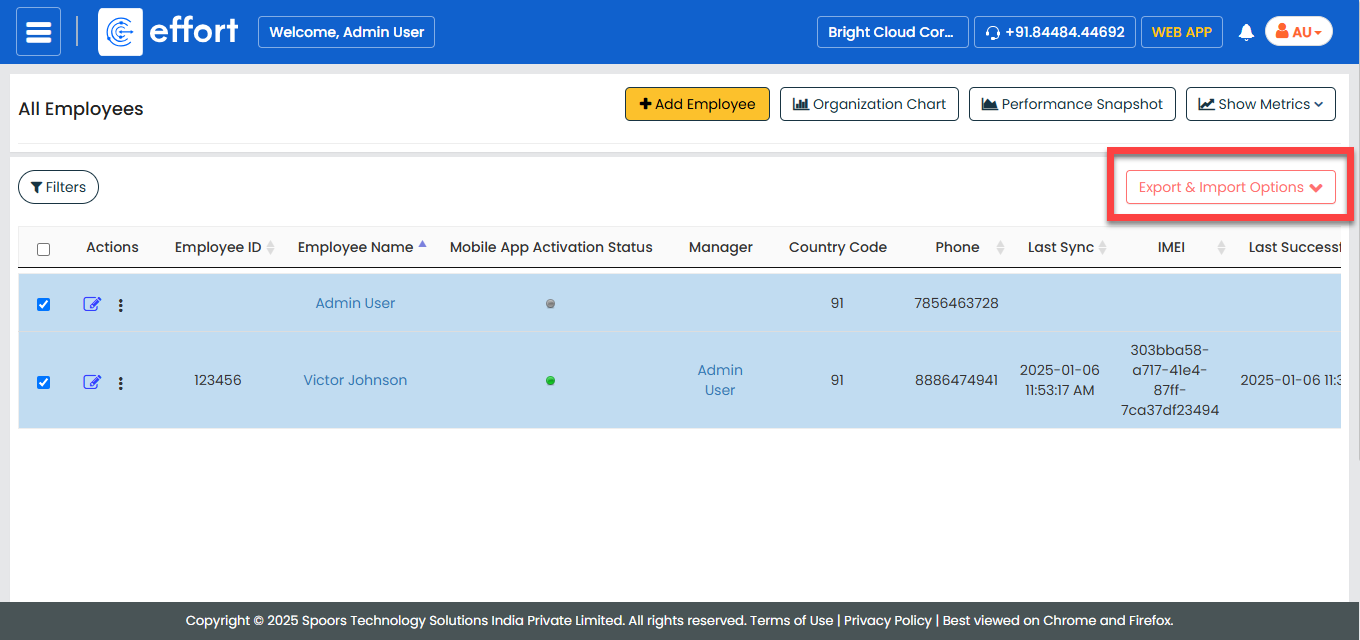
Click the Export & Import Options menu.
-
Click the Export Selected option.
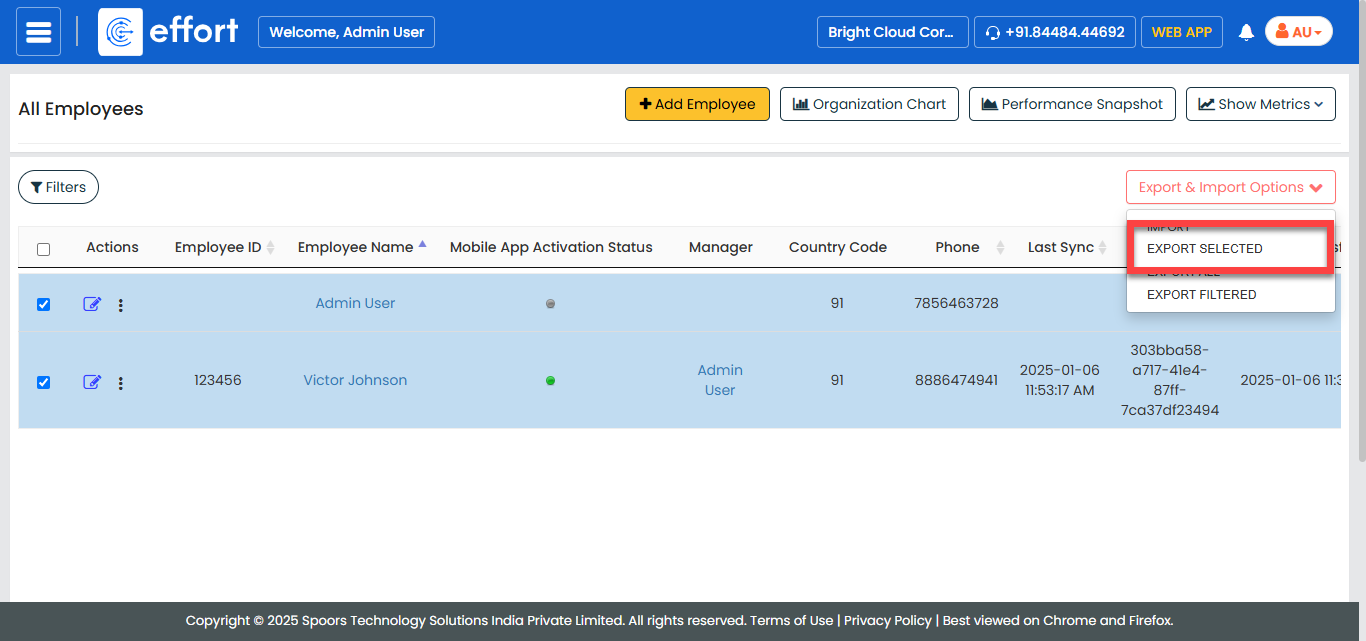
An excel sheet with the filtered records is downloaded to your computer.