

Configure System Defined Fields as Mandatory
To configure system-defined fields as mandatory fields to create an employee, follow the below steps.
-
Go to .
The Employees page appears.
-
Under the Essentials section, click Customize
Your Employee Fields card.
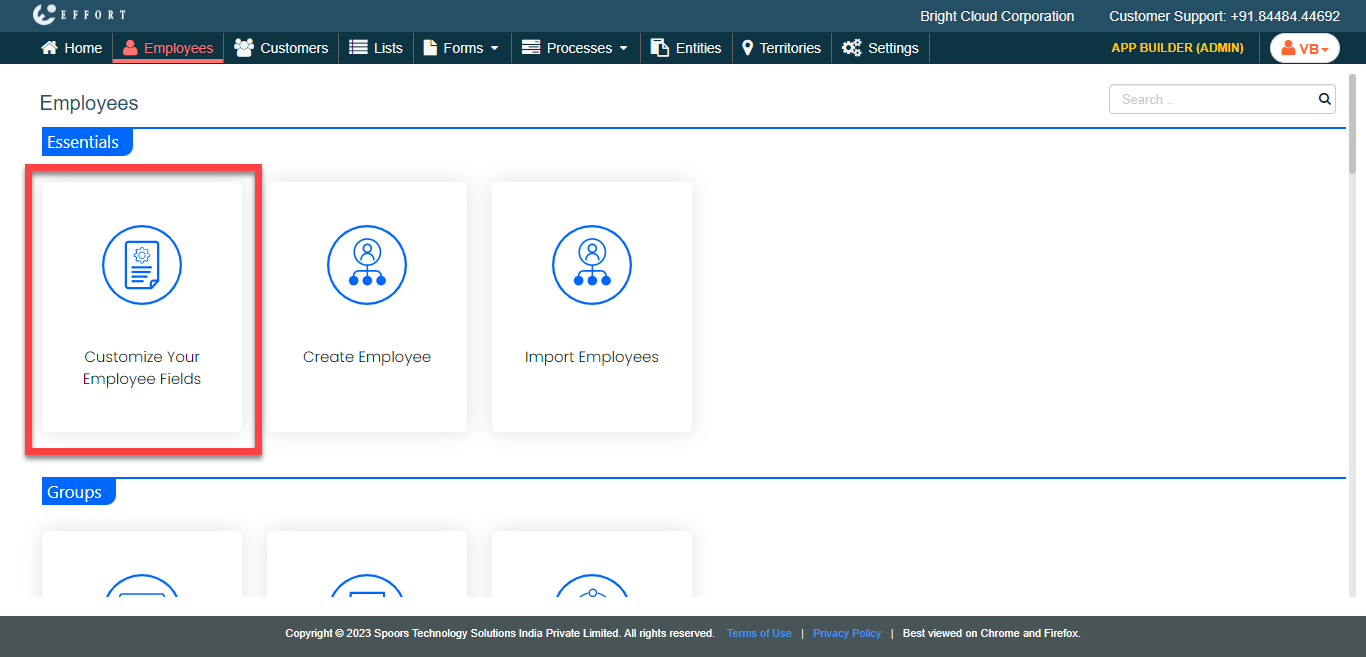
The Customize Fields page appears.
-
Click Customize Fields card.
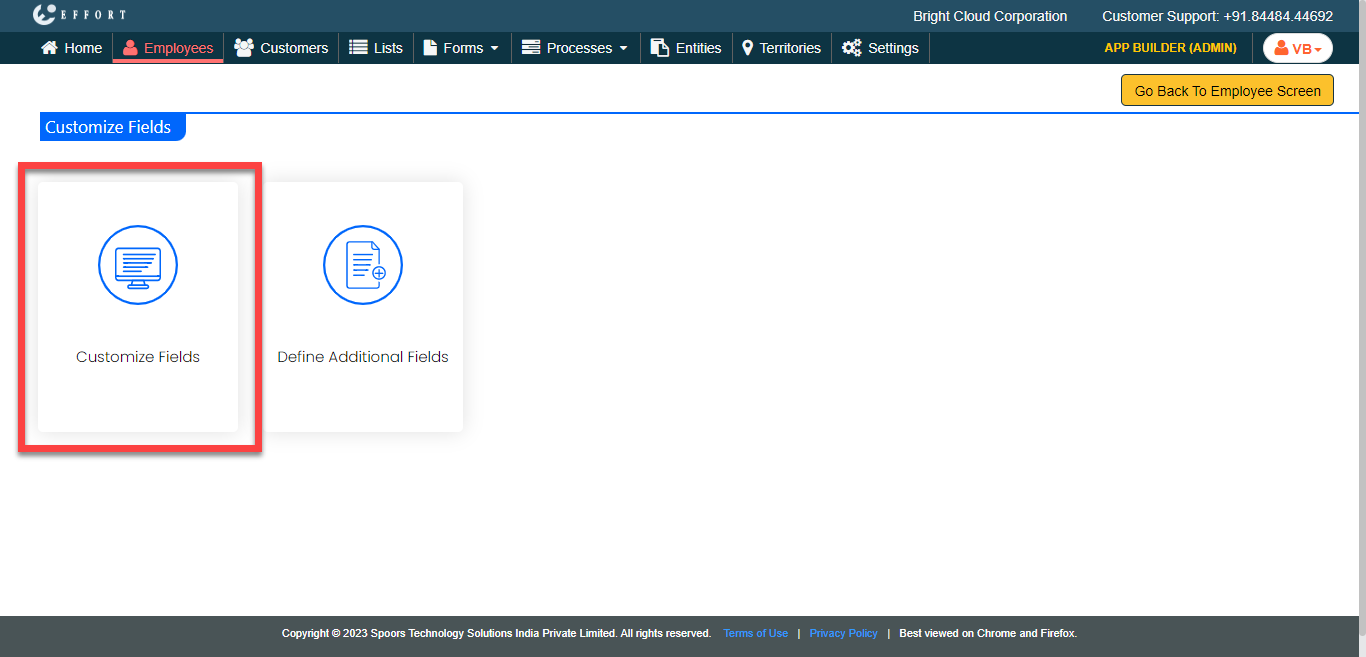
The Define Mandatoriness For System Defined Fields page appears.
-
Under the Mandatory column, select the checkboxes of the
required fields to make them mandatory to create an employee.
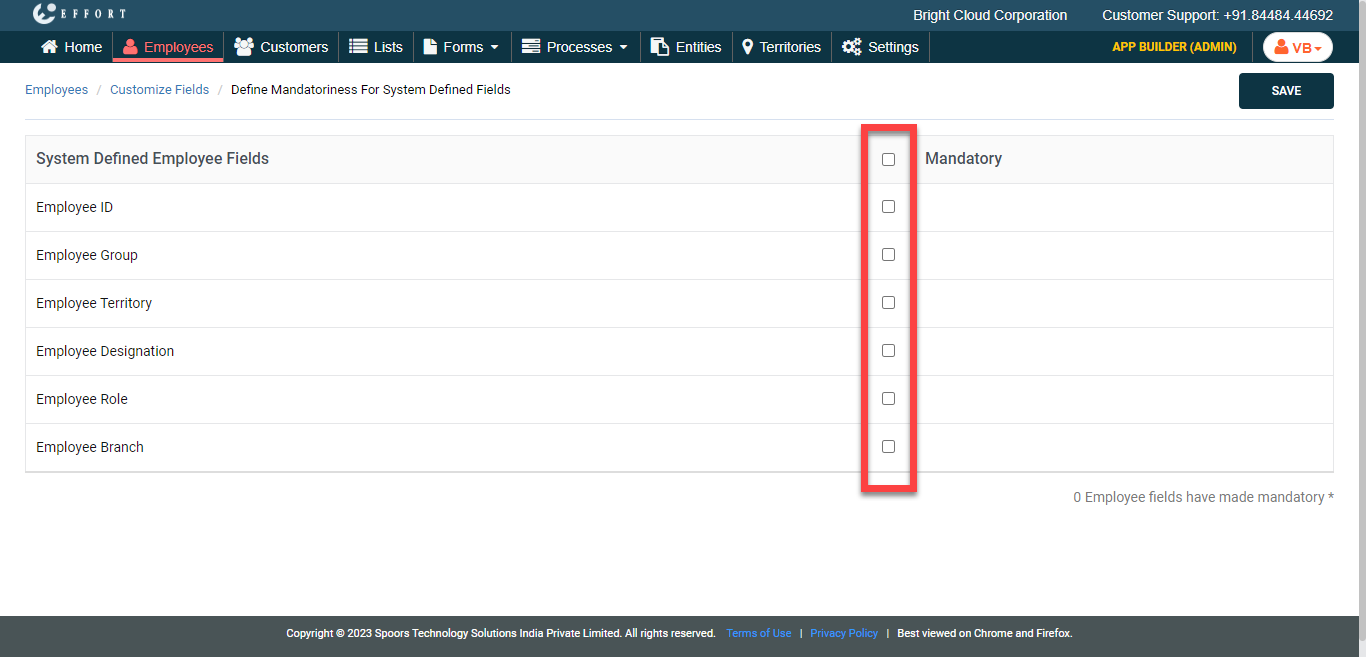
- Click Save.