View Employee
To view an employee, follow the steps below.
-
Go to .
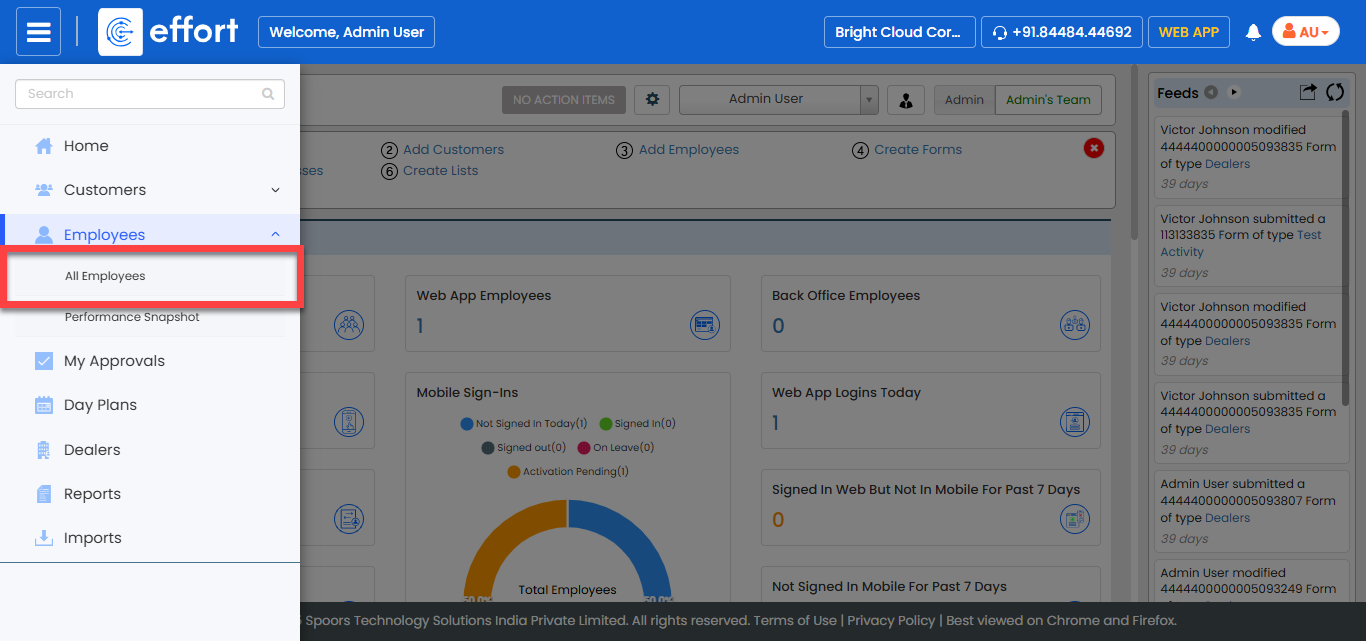
The All Employee page appears.
-
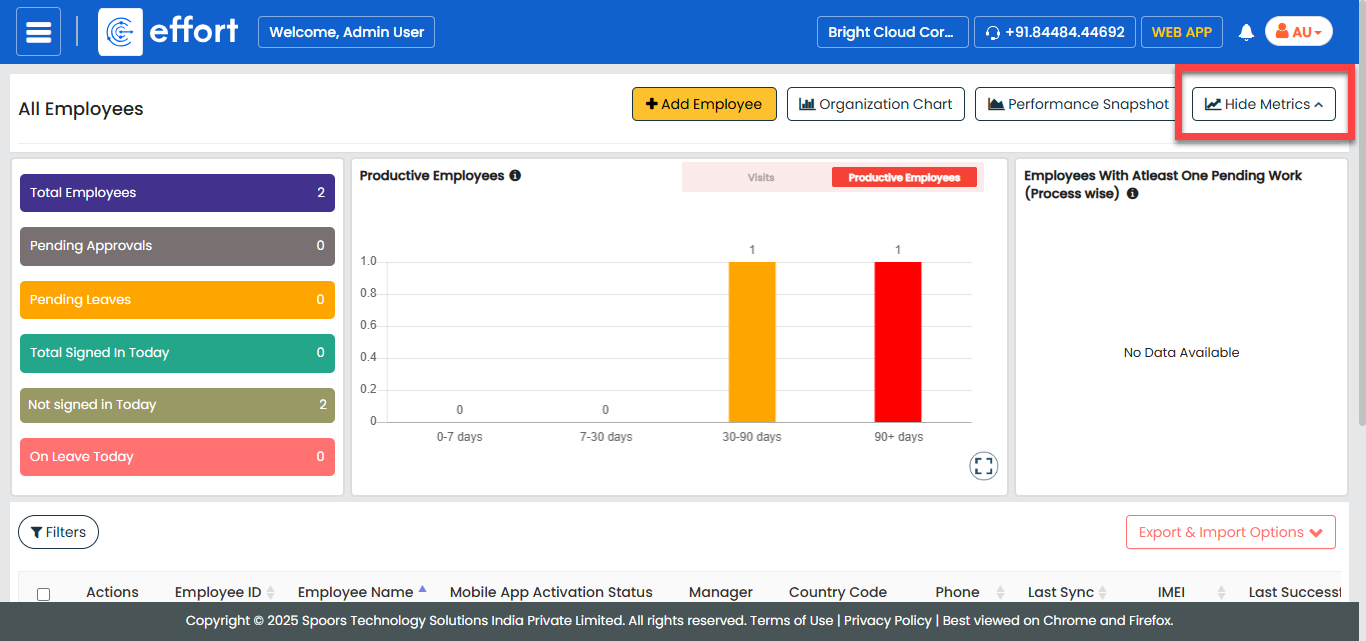
Click the Hide Metrics button to view all the
employees.
-
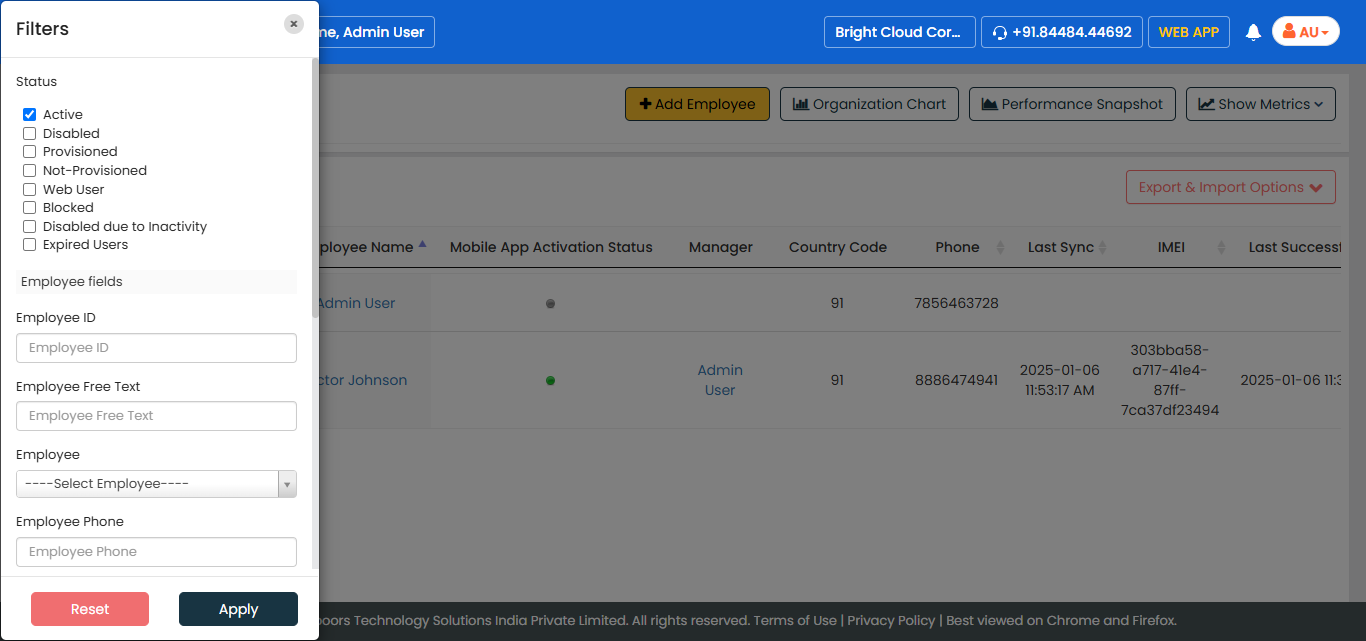
Click the Filters button and apply the filter options to
find the employee you want to view.
-
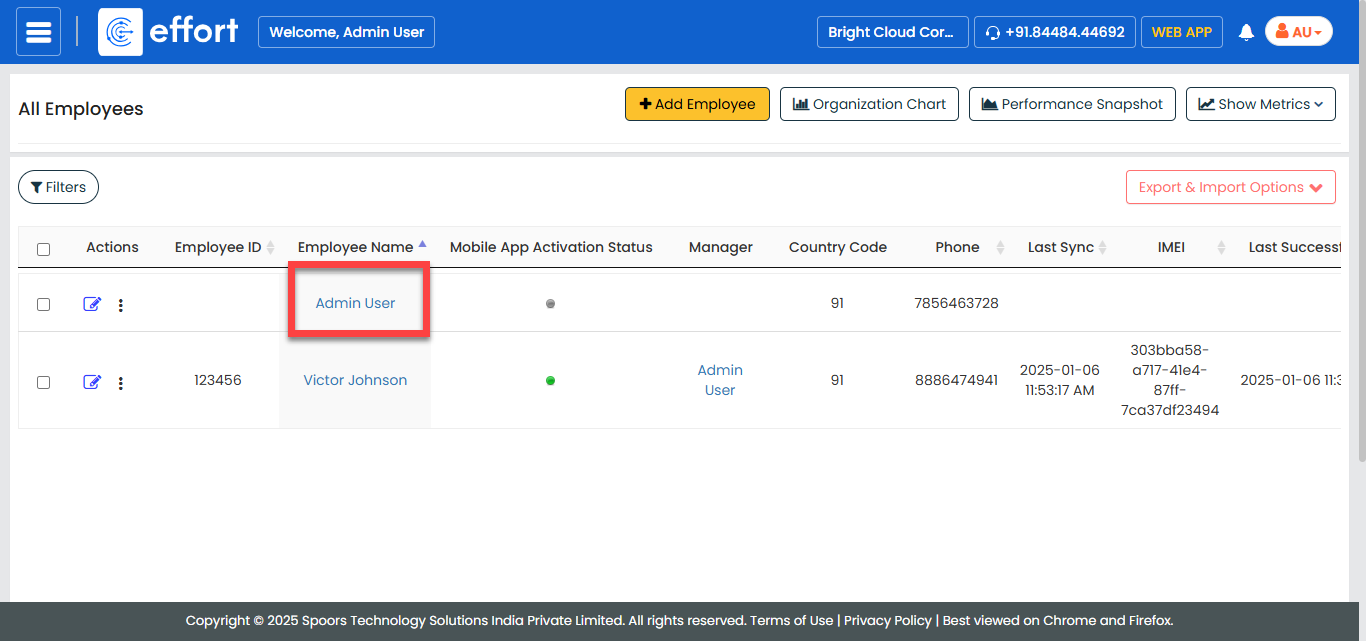
Under the Employee Name column, click the employee name
to view the details.