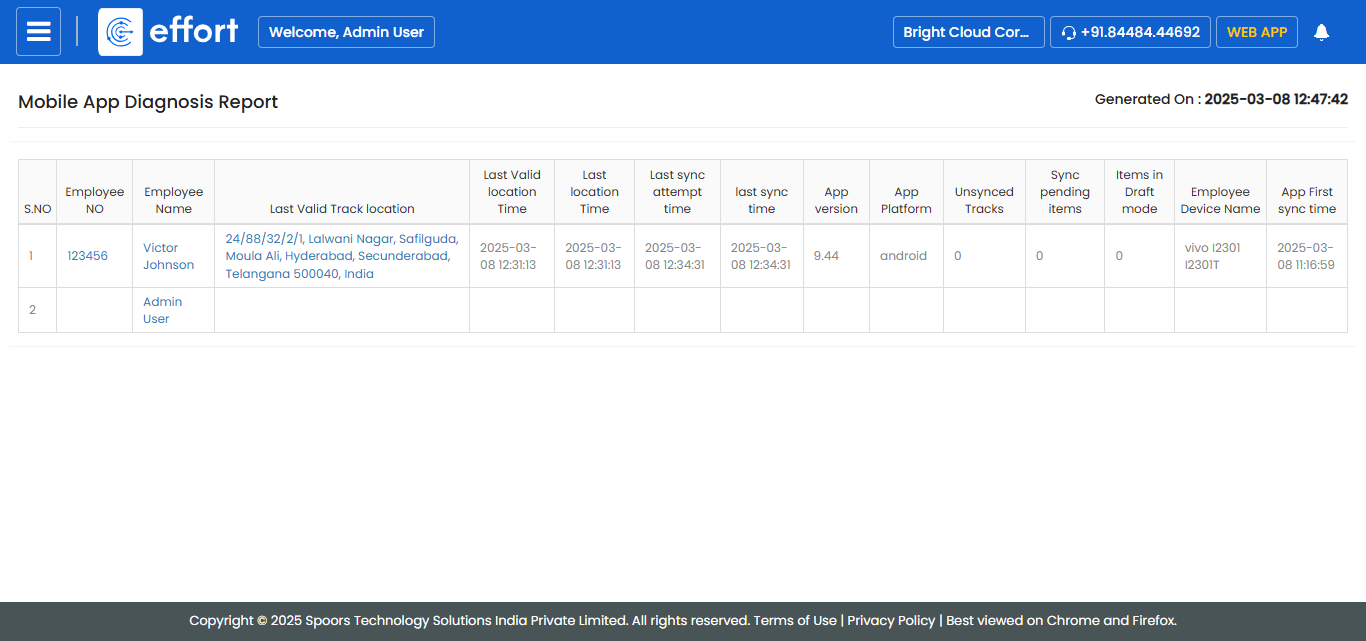
Generate Mobile App Diagnosis Report
To generate a mobile app diagnosis report, follow the steps below.
- Go to .
-
Click Tools and Audit in the user menu located on the
top right corner under the employee name.
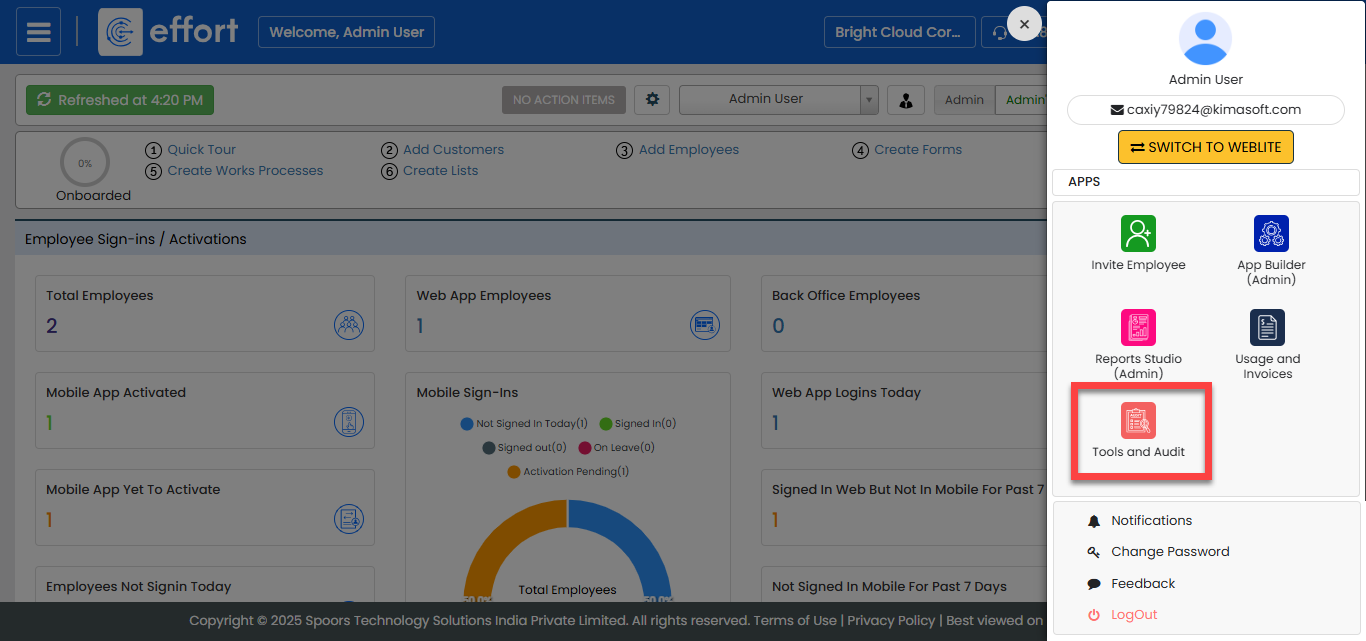
The Tools and Audit page appears.
-
Click the Mobile App Diagnosis Report link or icon under
the Tools and Audit section.
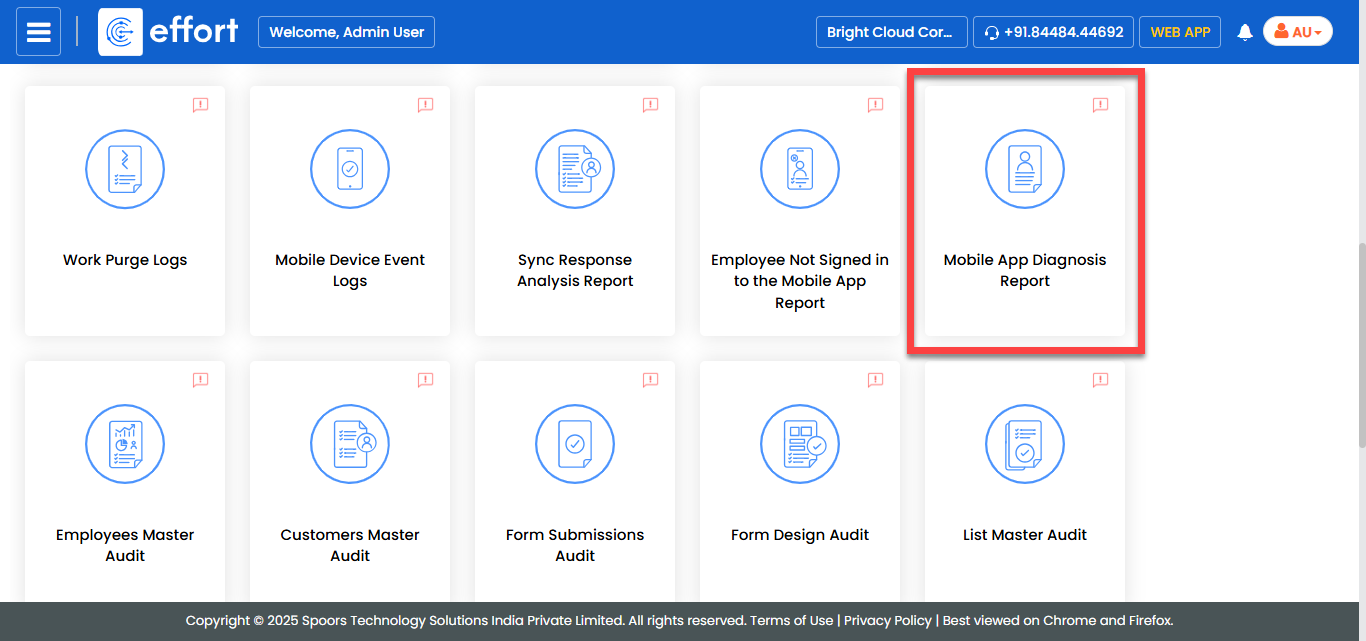
The Mobile App Diagnosis Report page appears.
-
Select the employees from the employees list.
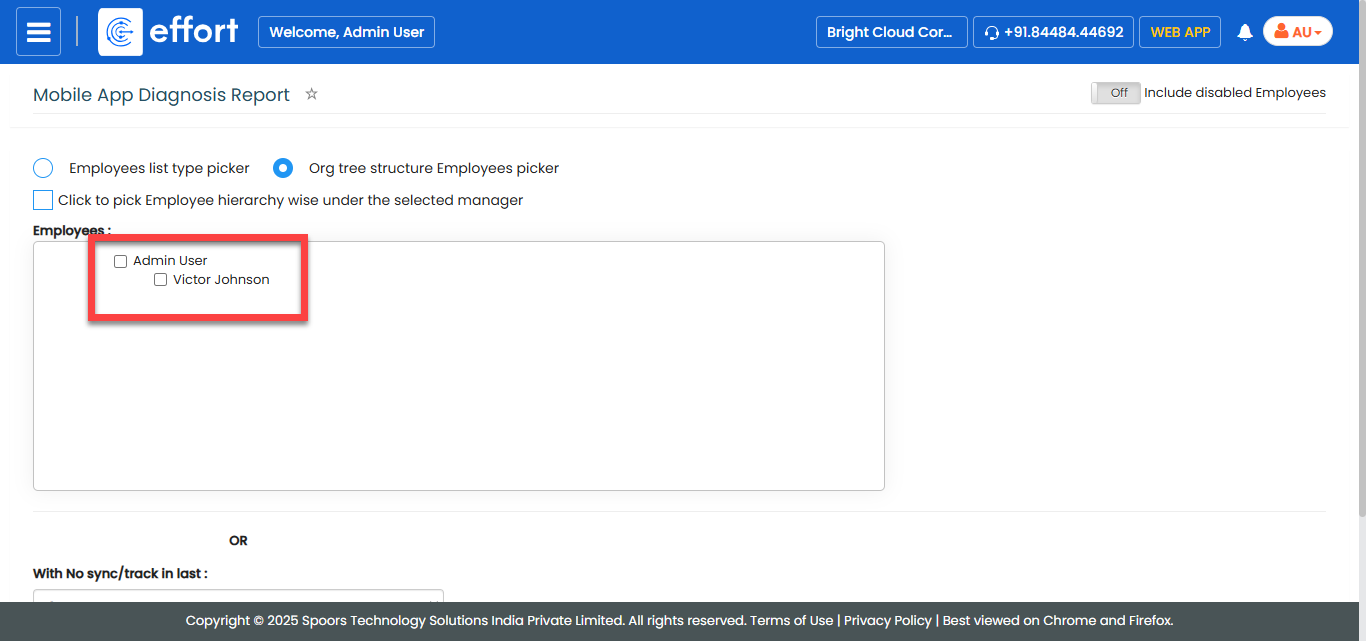
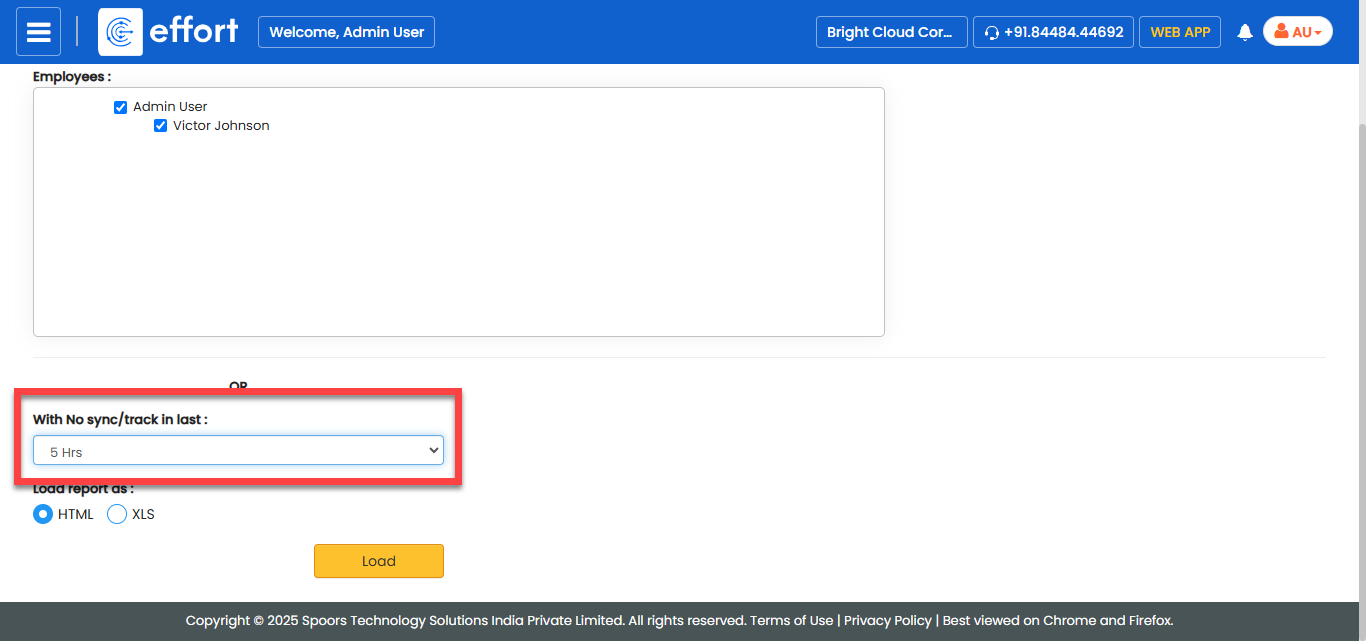
- Optional:
Select time from the With No Sync/Track in last
dropdown.
- Optional:
In Load report as, select the output report
format.
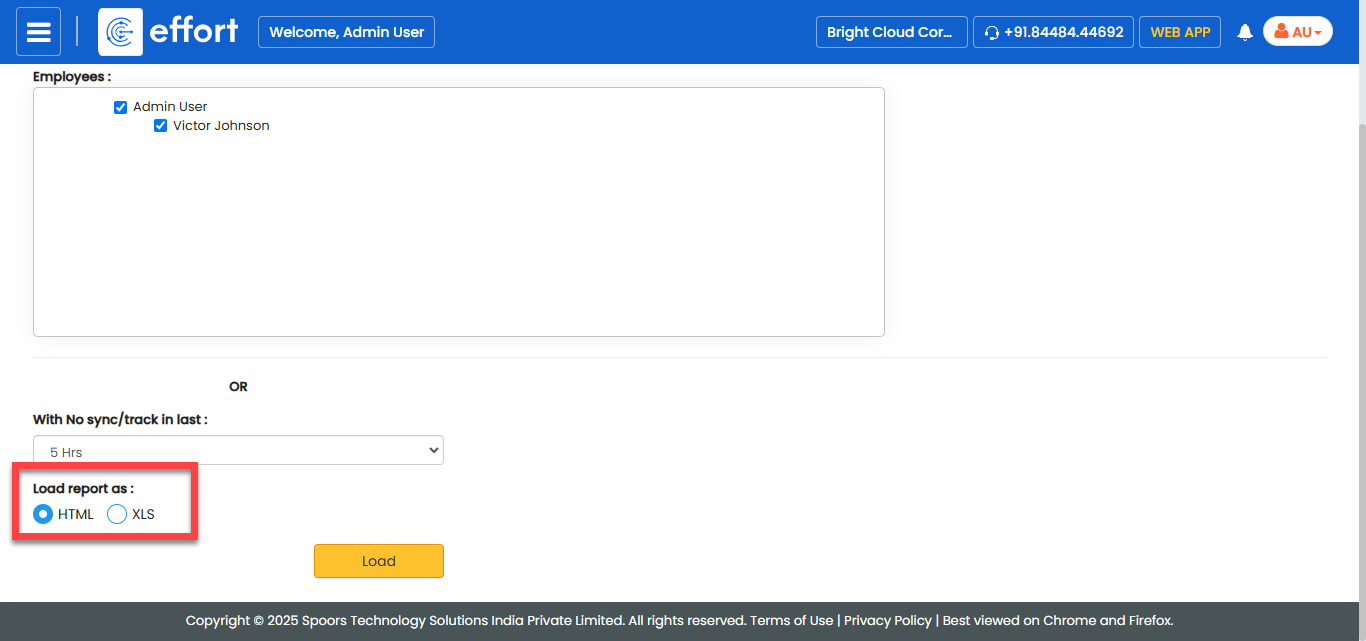
Load report as defaults to HTML. -
Click Load.
The Mobile App Diagnosis Report is displayed depends on the report format.